I have more or less encountered the issue of changing the Bluetooth name in Windows 10. This issue does not often happen (perhaps a few times), but there are still friends who want to change…
How to detect computer viruses and scan them. How do we know if our computer or laptop is infected? Read this article now and find the answer to your question. Viruses or Malware sometimes attack…
How can we search the contents of files in Windows? Stay with us to find the answer to your question. It is difficult, if not impossible, to find and remember the location of all files…
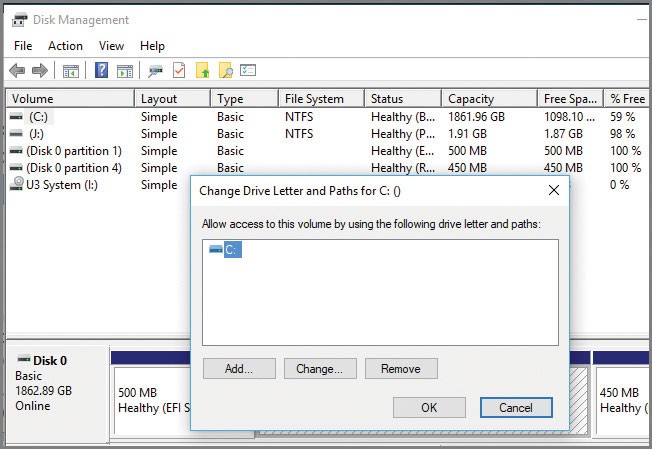
You know very well that the Windows operating system starts the drive letter of the system partitions from C and designates the letter C as the drive letter of your system’s current operating system. It…
The computer screen displays a bluish light when turned on. This almost purple light looks good during the day and in daylight, but the same thing is not very interesting in dark, dimly lit rooms,…
When you delete a file on Windows, it’s not permanently gone. It goes to the Recycle Bin. It’s the first place to look if you accidentally delete a file. But the files continue to take…
When downloading a file from the Internet, using web browsers or the IDM program, the downloaded file is saved in the Download folder by default. Although you can change the default download location, the Downloads…
People Who Want To Use A Web Server Personally And Privately, Or Rent A Server For Web Hosting, Raise The Question of Which Is A Better Choice, Linux Or Windows? These two operating systems have…
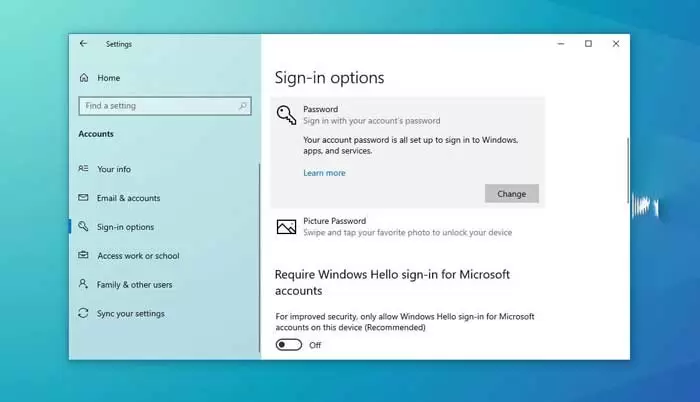
Most of us in the tech world use a password to protect our computers and laptops, but not everyone needs a secret code. For example, if you do not share your laptop or personal computer…
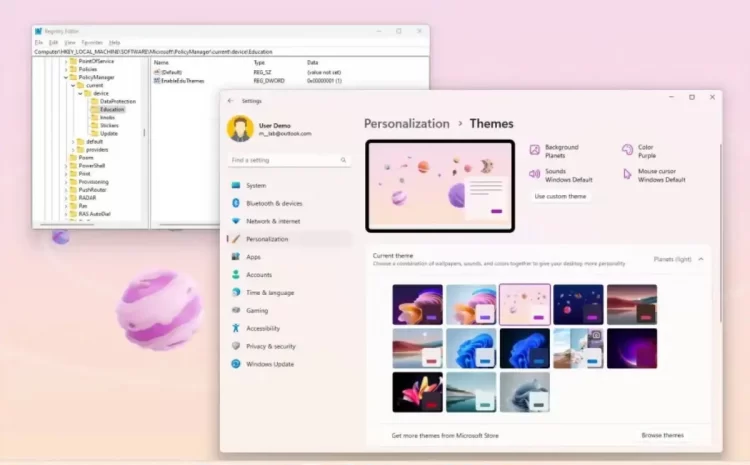
This article will teach you how to activate the Flowers, Planets, and Sunsets themes in Windows 11 version 22H2. Windows 11 hidden themes are designed to be available only for the educational version. However, this…