
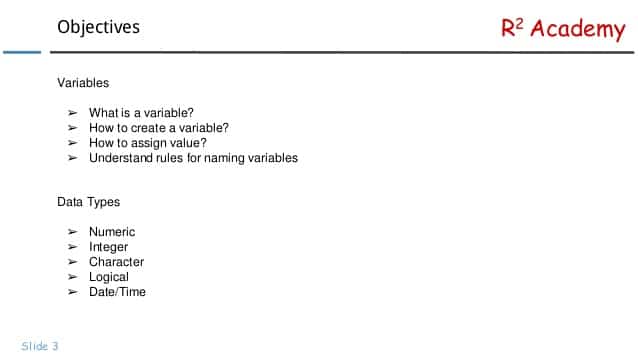
Teaching R Variables in Simple Language: What a Variable Is

R Variables: A variable provides a named space for storing values. A variable in R can be stored in a vector or group of vectors, or it can be combined with many R objects.
An allowable name for the variable includes letters, numbers, dots, and characters underlined. A variable name begins with a letter or a dot followed by no numbers.
| Variable name | Being allowed | The reason |
var_name2. | Allowed | Includes letters, numbers, dots, and underlines |
var_name% | illegal | It is not permitted due to its presence (%), as only the dot symbol is permitted. |
۲var_name | illegal | Because it starts with a number. |
var_name var. name | Allowed | The variable name can start with a dot (.) But it should not be followed by a number. |
.2var_name | illegal | Following the name’s starting point is a number that renders it unauthorized. |
_var_name | illegal | Started with _ is not allowed |

Variable allocation
Variables can be used using the left part, the right part, or equal; Assigned to the operator. The values of the variables can be printed using the print() or cat() functions. The cat () function concatenates several items into a single line of continuous output.
# Assignment using equal operator.
var.1 = c (0,1,2,3)# Assignment using leftward operator.
var.2 <- c (“learn”, “R”)# Assignment using rightward operator.
c (TRUE, 1) -> var.3

print (var.1)

cat("var.1 is", var.1, "\n")
cat("var.2 is", var.2, "\n")
cat("var.3 is", var.3, "\n")
When the above code is executed, the following output is obtained:
[1] 0123

var.1 is 0123

var.2 is learn R

var.3 is 1 1
Note – Vector (c (TRUE, 1) contains a combination of logic and numeric classes. Therefore, the logic class is corrected to a numeric class and returns TRUE as 1.
One-variable data types
In the programming language R, A variable in itself is not expressed from any data type; Instead, it receives the data type of the object R to which it is assigned.
R is a dynamically typed language, meaning that when using a variable in the program, we can change its data type repeatedly.
var_x <- “Hello”

cat (“The class of var_x is“, class (var_x), ”\ n”)

var_x <- 34.5

cat (”Now the class of var_x is“, class (var_x), ”\ n”)

var_x <- 27L

cat (”Next the class of var_x becomes“, class (var_x), ”\ n”)
When we run the above code, the following result is obtained:
The class of var_x is a character
Now the class of var_x is numeric
Next, the class of var_x becomes an integer
Find Variables
To identify the variables that are currently available in the workspace, we use the Is () function. The Is () function can also use patterns to match the names of variables.
print (ls ())
When we run the above code, the following result is obtained:
[1] “my var” “my_new_var” “my_var” “var.1”

[5] "var.2" "var.3" "var.name" "var_name2."

[9] "var_x" "varname"
Note: This is a sample output, depending on the variables defined in your environment.
This function uses patterns to match variable names.
# List the variables starting with the pattern “var”.
print (ls (pattern = “var”))
When we run the above code, the following result is obtained:
[1] "my var" "my_new_var" "my_var" "var.1"

[5] "var.2" "var.3" "var.name" "var_name2."

[9] "var_x" "varname"
Variables starting with (.) They are hidden (Hayden). They can be listed using the “all.names = TRUE” argument to the Is() function.
print (ls (all.name = TRUE)
When we run the above code, the following result is obtained:
[1] “.cars” “.Random.seed” “.var_name” “.varname” “.varname2”

[6] “my var” “my_new_var” “my_var” “var.1” “var.2”

[11] ”var.3 ″“ var.name ”“ var_name2. “Var_x"
Clear variables
Variables can be cleared using the rm () function. Next, we present variable var.3. We clean it. An error will occur in the variable value print section.
rm (var.3)

print (var.3)
When the above code is executed, the result is as follows:
[1] "var.3"

Error in print (var.3): object 'var.3' not found
Can be used with the rm() and is () functions; it clears all variables.
rm (list = ls ())

print (ls ())
When we run the above code, the following result is obtained:
character (0)
FAQ
What is a variable in R?
A variable in R is a named storage location that holds data values used in programming.
How do you assign a value to a variable in R?
You assign a value using the <- or = operator to link the name with the data.
Why are variables important in R programming?
Variables allow you to store, manipulate, and reuse data throughout your code efficiently.