
What “Bandwidth Exceeded Limits” Means — Causes & Practical Countermeasures

Whenever someone receives a „Bandwidth Limit Exceeded“ notification, they usually panic and call their developer or a development company.
What is Bandwidth and Bandwidth transfer?
Definitions:
- Bandwidth is the amount of data that can be transmitted over a network connection over time.
- Also called the data transfer rate, it is usually expressed in bits per second (bps).
Nowadays, it seems like more and more people have started using the Internet for their business. Social and e-commerce sites are also major drivers of increased Internet usage. At the same time, many people are unfamiliar with Bandwidth, even if they own a website.
Bandwidth is the amount of data that can be transferred simultaneously.
Regarding hosting, bandwidth is the maximum amount of data that can be transferred per month or per period. Data transfer is the amount of data exchanged between your site and your visitor’s browser. For example, if your homepage is one megabyte, each time a visitor opens it, their browser will download one megabyte of data. The data transfer can be estimated from file size and number of visits.
How to keep track of bandwidth transfer
You can see bandwidth usage on your cPanel account
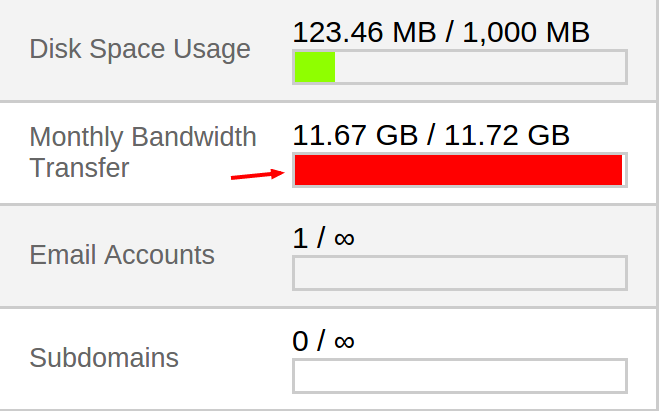
Exceeded transfer rate
Furthermore, you may receive an email notification if your site exceeds its monthly data transfer limit.
Bandwidth effects on your website
Your website will load more slowly as your account has less bandwidth. No matter how fast the connection types your website visitors have are. You often see pages unavailable on some sites due to the maximum amount of data that can be transferred. In this case, visitors will need to wait for their turn.

Unavailable because Bandwidth Exceeded
First, you will need to determine the required Bandwidth for your website, which can be estimated from your website’s size (or, say, page size) and the number of visitors over the given time frame. It is usually measured every month. The main goal is to ensure that all visitors can access your website without waiting in line or encountering issues.
Furthermore, you can determine the required Bandwidth for your site based on the following:
- Expected number of visitors per month (including unique and repeated)
- Page size
- Anticipated number of page views by visitor
How to review the Bandwidth from your cPanel
1. Using AWSTATS
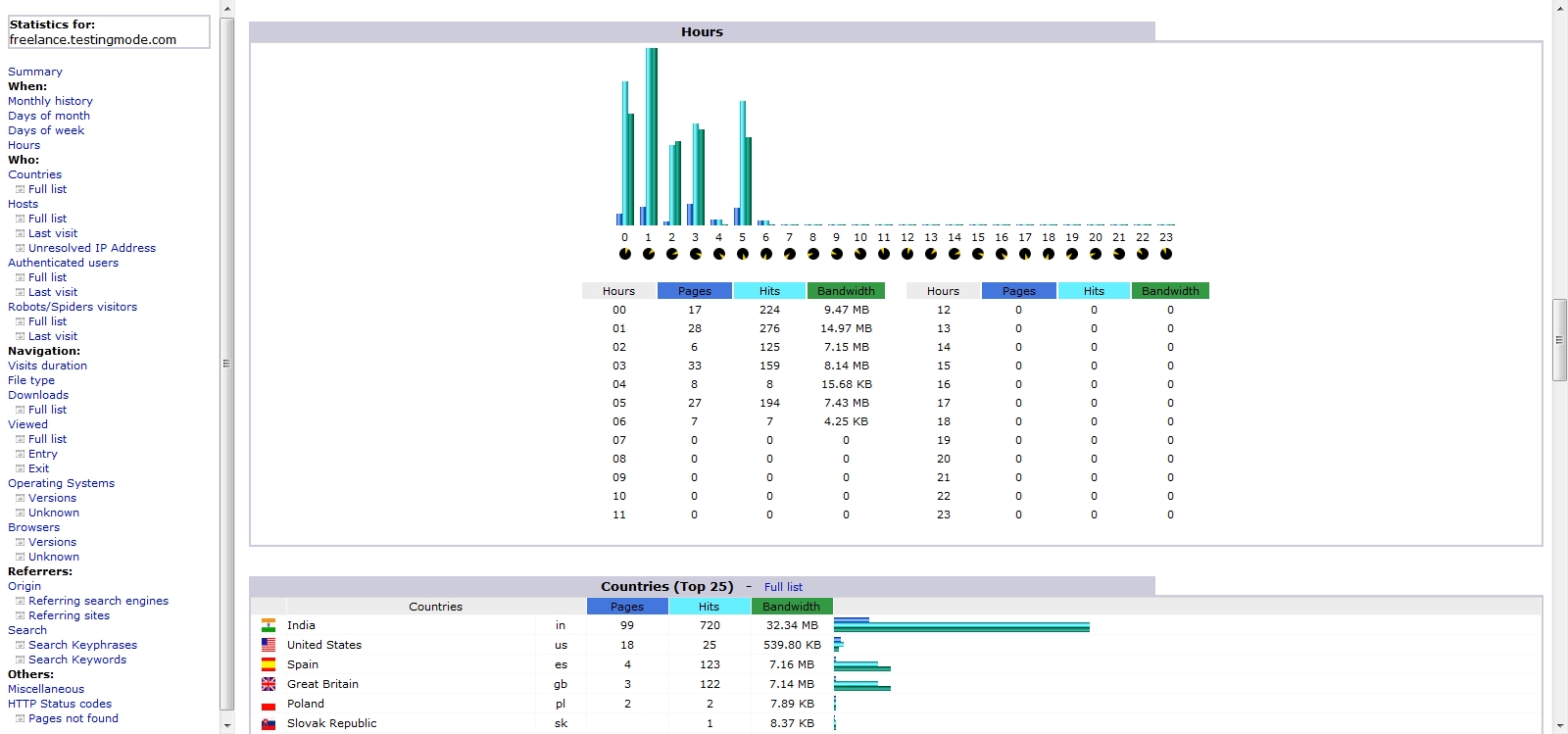
AWSTATS2. Webalizer stats
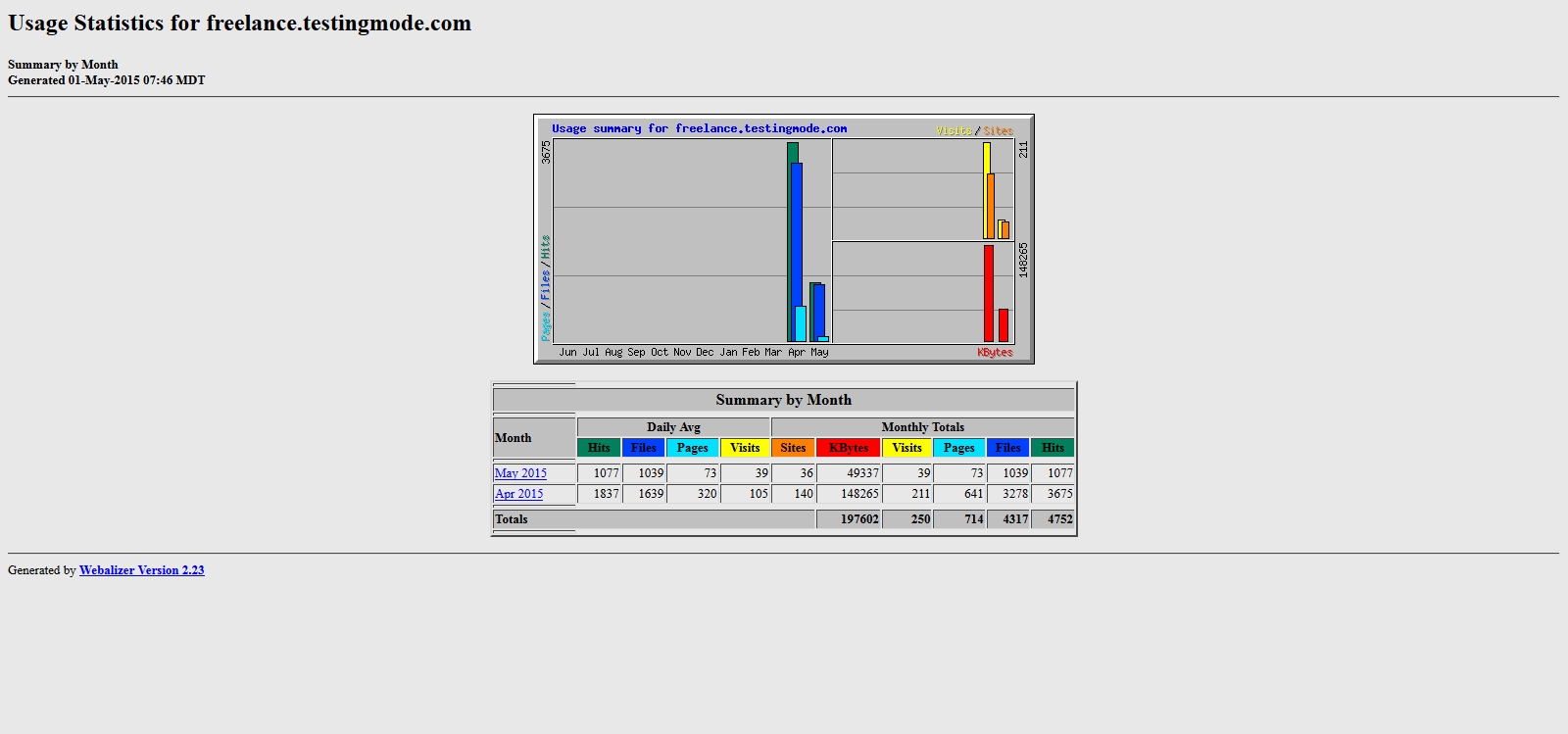
3. Usage Stats
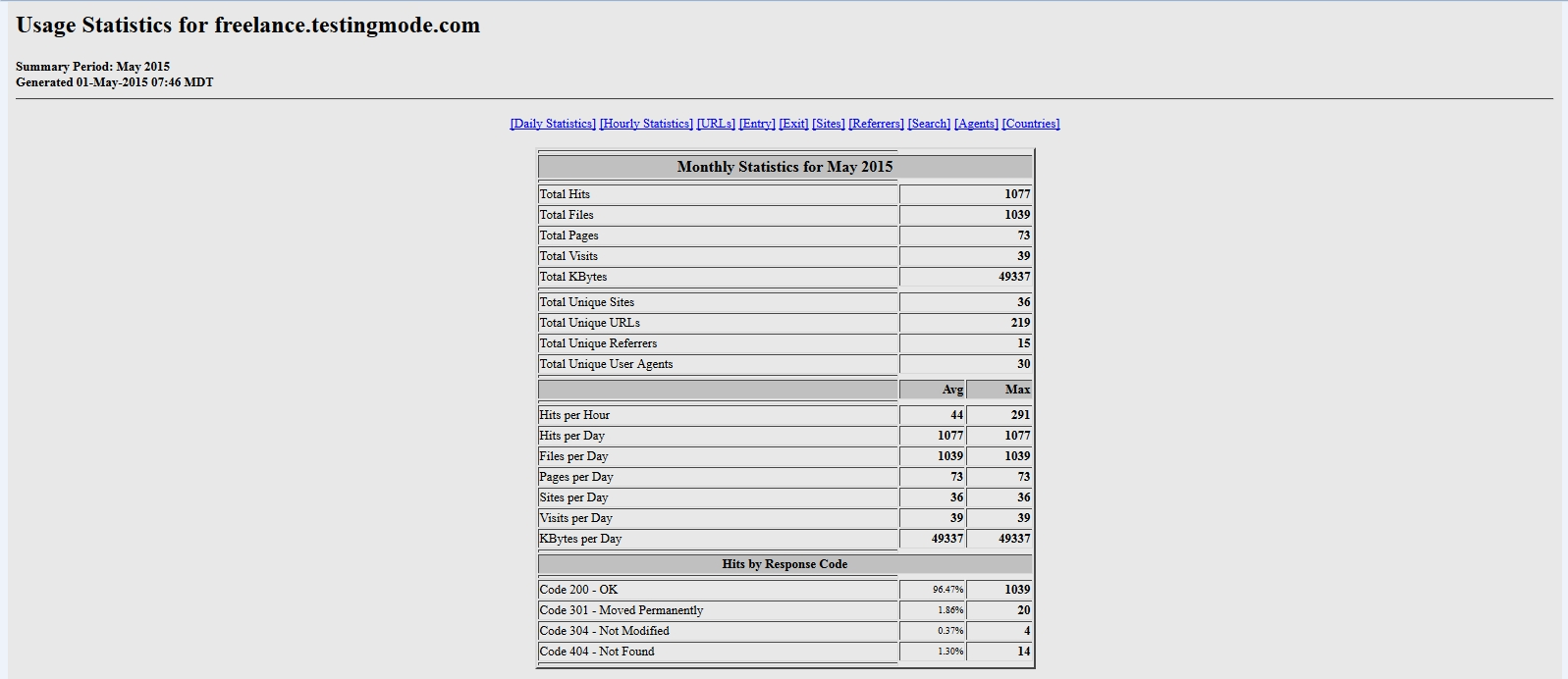
What should you do when the bandwidth limit is exceeded?
Well, in this case, you will have two options: either you can upgrade the package and increase it, or you can reduce the size of the content with the following:
- Decrease the amount of data downloaded each time
- Decrease the usage of images
- Reduce the resolution of images
- Use the exact length of the print you need to show on the page
- Split the significant page into multiple pages (you can show different information on different pages, so visitors‘ browsers will download only the content they are interested in)
- Remove videos or music used in the background
- Remove or restrict large downloads
- In addition, there can be many others as well
Hotlinking:
Hotlinking is also referred to as bandwidth theft. It means someone shows data on their site directly with links. For example, I have an image on my site: https://freelancer-coder.com/anyimage.png. If someone embeds an image directly on their site, such as <img src=“https://freelancer-coder.com/anyimage.png“ alt=“image“/>, it is hotlinking. As a result, whenever a visitor opens that page with an idea, the data will be transferred from my server to render that image. In this case, your data transfer usage will be higher than expected.
Using the .htaccess configuration file, we can prevent hotlinking. In this File, we can write rules to protect any asset usage directly on another site.
The example script to prevent the case I showed earlier can be:
- RewriteEngine On
- RewriteCond % !^$
- RewriteCond % !^http://(www\.)?freelancer-coder.com(/)?.*$ [NC]
- RewriteRule .*\.(gif|jpg)$ – [NC,F,L]
Finally, please share your thoughts on your experience with your site’s bandwidth limit being exceeded. If you have better suggestions on what to do when the bandwidth limit is exceeded, please share them via comments or connect with me.
Have you ever been a friend of IDwebhost when, on a web page, we sometimes encountered a case where our page could not be accessed as usual? Instead, the message „Bandwidth Limit Exceeded“ appears. As ordinary users of IT, we certainly think the server is down, or there are connection issues.
So the only well-known way is to ask our hosting and domain provider, „What’s wrong with our web???
Usually, support only explains that your bandwidth quota has run out; please refill it immediately. Just relax. Usually, the bandwidth quota is monthly, so if we run out of bandwidth one day, our website will be accessible again the next month. But do we have to wait until the end of the month to reaccess our website? The following is a simple discussion regarding bandwidth.
Meaning of bandwidth limit exceeded
I try to explain, in simple terms, what the exceeded limit on bandwidth is. It can be inferred that bandwidth usage on the hosting account exceeded the quota. For example, our bandwidth quota is 1GB/month. It turns out it’s only been running for two weeks, and usage is already above it, so until the 1st of next month, our web page will be decorated with the beautiful message: „bandwidth limit exceeded.“
How do you calculate bandwidth usage?
It’s easy. A simple example is a web page that is 1 megabyte. In a day, people open it 20 times, so our bandwidth usage that day is 20 megabytes. To find out the size of our web page, you can use the Firebug add-on on Firefox or Chrome.
I only have a little traffic, but why is the bandwidth crazy??
Be patient. Don’t rush to blame the hosting provider! Try to see if your post contains large images. Or maybe there are also malicious machines that like to roam around sucking up your articles and pictures; of course, this will eat up bandwidth too. Please use a plugin such as destructive behavior, pc robots, and text to deal with these evil machines. If the image you like is being copied and the link is hosted on another website, please enable hotlink protection.
My traffic is very high. Is there a solution to save bandwidth?
Choosing a template wisely is possible. A compressor plugin, for example, can compress HTML, CSS, and compressed images—not bad for saving bandwidth.
How do you find out what’s consuming the most bandwidth on the web?
It’s pretty straightforward: log in to cPanel, click AWStats, and review the bandwidth usage details. It explains everything that causes your bandwidth quota to run out quickly.
Conclusion
In short, the error 509 bandwidth limit exceeded appears when the allotted website bandwidth is ultimately used. Today, our support engineers made a few recommendations to avoid this problem.
FAQ
What does “Bandwidth Exceeded Limits” mean on my website?
It means your site has transferred more data than allowed under your hosting plan’s monthly (or periodic) bandwidth quota — once exceeded, the site may become slow or completely unavailable.
What usually causes bandwidth to be used up so quickly?
High visitor traffic, large media (images, videos, file downloads), hotlinking from other sites, poorly optimized content, or even bots and crawlers repeatedly accessing your pages can drive bandwidth consumption.
How can I prevent exceeding bandwidth limits in the future?
You can compress/optimize images and media, use efficient caching, enable hotlink protection, minimize large file downloads, split heavy pages, and — if traffic grows — upgrade to a hosting plan with higher or unlimited bandwidth.