

The Best VPS to Implement Artificial Intelligence

Ask ten developers which VPS is best for artificial intelligence, and you’ll get ten different answers, most of them wrong — not because the providers are bad, but because “AI workload” describes everything from a 3B chatbot answering support tickets to a multi-node fine-tuning run on H100S. Those two jobs want completely different machines.
There’s also a twist specific to this moment: the AI boom has made the servers you’d use to run AI substantially more expensive. Memory prices surged through 2025 and 2026 as data-center buildouts absorbed global DRAM and NAND supply, and hosting providers passed the cost along. Hetzner repriced three times in 2026; OVHcloud has signaled RAM costs could climb 250–300% by year’s end versus September 2025. Picking well matters more than it did eighteen months ago.
Here’s how to choose.
Start With the Workload, Not the Provider
Almost every AI deployment falls into one of three buckets.
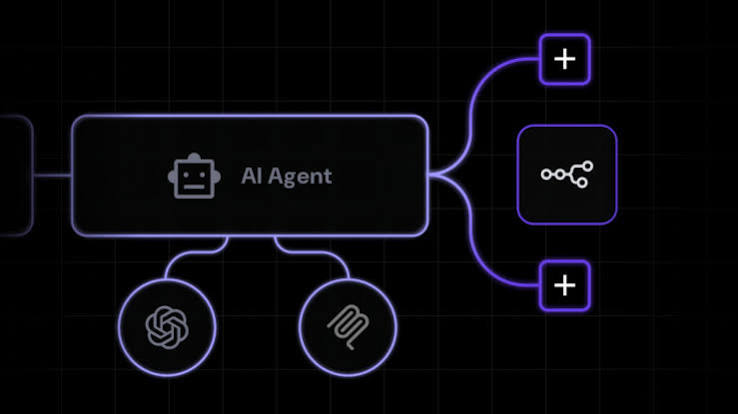
Orchestration and light inference. You’re running n8n, Flowise, Langflow, a RAG pipeline, a vector database, or small quantized models via Ollama. The heavy lifting happens in an external API — or in a 3B–8B model that fits in system RAM. This runs fine on a normal CPU VPS.
Serious self-hosted inference. You want a 13B–70B model serving real users at usable speed. CPU-only inference works, but slowly: expect roughly 5–15 tokens per second for a 7B model at Q4 quantization on a modern server CPU, and closer to 1–3 tok/s for a 70B. Below about 10 tok/s, an interactive chat interface starts to feel broken. This is where you need a GPU.
Training and fine-tuning. Full training runs, LoRA fine-tunes, diffusion model work. GPU is mandatory, and the question becomes which GPU and how you rent it.
Bucket one is the largest and the most under-served by “best GPU VPS” listicles. If your AI product is mostly glue code around a hosted model API, you need a solid ordinary VPS and nothing more.
The Specs That Actually Decide Performance
RAM is the constraint, not CPU
Local model inference is memory-bound. A useful rule: budget about 0.5–0.6 GB per billion parameters at Q4_K_M quantization, then add headroom for context and the operating system.
| Model size | Q4 memory | Comfortable VPS RAM |
|---|---|---|
| 3B | ~2 GB | 8 GB |
| 7–8B | 4–5 GB | 16 GB |
| 13–14B | 8–10 GB | 24–32 GB |
| 32B | ~20 GB | 48 GB |
| 70B | 38–48 GB | 64 GB+ |
Context window matters more than people expect. KV cache scales with context length, and an 8B model at a 32K context can burn several extra gigabytes on cache alone. Size for your longest realistic prompt, not your shortest.
Dedicated vCPU beats a bigger core count
Shared-vCPU plans advertise generous core counts because those cores are oversold. Contabo is the well-documented example: excellent RAM-per-euro, but under sustained load a Hetzner instance with fewer listed cores often delivers more actual throughput. Inference is sustained load. If you’re doing CPU inference, pay for dedicated cores, and check that the CPU exposes AVX2 or AVX-512 — llama.cpp’s kernels lean on those instruction sets heavily.
NVMe, always
Model weights are large files read repeatedly. Spinning disks and older SATA SSDs become the bottleneck the moment you’re loading a 20 GB GGUF or streaming a dataset. Leave 2–3x your model size free for checkpoints, logs, and pulls that fail halfway.
Bandwidth and location
Streaming token responses eat less bandwidth than people assume, but training datasets do not. Check egress policy before you commit — “unlimited” traffic usually means throttled after a threshold. For European teams handling personal data, EU-hosted infrastructure from OVHcloud, Scaleway, IONOS, netcup or Hetzner keeps GDPR conversations short.

Understand the 2026 Price Environment Before You Sign
This deserves its own section because it invalidates a lot of older advice.
Server DRAM contract prices rose sharply through late 2025 and into 2026 — TrendForce tracked increases in the region of 90% quarter-on-quarter in Q1 2026 — as memory manufacturers shifted capacity toward High-Bandwidth Memory for AI accelerators, which commands several times the price of conventional DDR5. Enterprise SSD contract prices followed. Hosting providers who had absorbed the cost eventually stopped.
The practical consequences:
- Any review quoting sub-€4 Hetzner plans is out of date. Entry lines rose moderately; dedicated-vCPU lines like CCX roughly tripled for new orders.
- Existing servers generally kept their old terms — but rescaling counts as a new order. Think hard before resizing a machine you’ve had for a while.
- Right-sizing RAM is now a real cost lever rather than a rounding error. Over-provisioning memory “just in case” is expensive.
- Don’t spend a weekend hunting for a provider still at 2024 prices. They’re all buying from the same squeezed supply.
Best CPU-Based VPS Options for AI
Hetzner remains the benchmark for price-to-performance in Europe, with strong sustained CPU throughput, a genuinely good API, hourly billing and ISO 27001 certification. Even after repricing, the cost-optimized CX and CAX (Arm) lines undercut DigitalOcean and AWS Lightsail considerably. Best for: developers comfortable with infrastructure-as-code.
Contabo wins on RAM per euro, which is exactly the resource local inference needs. Accept the trade-off — oversold CPU, inconsistent I/O reports, a clunky panel — and it’s a strong fit for memory-hungry Docker stacks and experimentation. Best for: staging environments and self-hosted LLMs where memory, not clock speed, is the limit.
Hostinger bundles an AI assistant into the control panel and offers a gentler learning curve with NVMe across the range. Watch the renewal rate: promotional pricing on long terms roughly doubles on renewal. Best for: beginners moving off shared hosting.
DigitalOcean and Vultr cost more per unit of compute but bring managed databases, Kubernetes, object storage and broad global coverage. Vultr in particular has 30+ locations, which matters for latency-sensitive inference. Best for: teams that want an ecosystem rather than a box.
OVHcloud, Scaleway, IONOS, and netcup are the sovereignty plays — European ownership, predictable performance, strong compliance posture. Best for: regulated industries and data-residency requirements.
Best GPU VPS Options for AI
GPU capacity is rented by the hour, and the economics differ completely from monthly VPS billing.
RunPod is the pragmatic default. Per-second billing across a wide GPU catalog and 30+ regions, split into a cheaper Community Cloud and a vetted Secure Cloud. Recent indicative rates: RTX 4090 from around $0.34/hr on Community (roughly double on Secure), A100 80GB near $1.39/hr, H100 PCIe near $2.89/hr. Serverless endpoints scale to zero for spiky inference traffic at a higher effective hourly rate. Best for: prototyping, fine-tuning, variable-load inference.
Vast.ai is a live marketplace, so prices float and hardware quality varies with the host. Cheapest option if you can tolerate variance. Best for: cost-sensitive experimentation.
Lambda publishes clean fixed instance pricing — around $1.99/hr for A100 40GB and $3.29/hr for H100 PCIe in recent checks — with an ML-native software stack. Best for: predictable budgeting on training runs.
Vultr and DigitalOcean GPU Droplets put GPUs inside a familiar cloud console, with L40S, A100, H100 and H200 options and pre-built PyTorch/CUDA images. Vultr also offers fractional GPU access on A16 and L40S, useful for inference that doesn’t need a whole card. Best for: teams already running the rest of their stack there.
The most common expensive mistake: leaving a GPU instance running. An H100 at roughly $2.89/hr costs over $2,000 a month if nobody shuts it down. Terminate pods when jobs end, and watch for storage volumes that keep billing on stopped instances.

Matching Machine to Job
- AI agents, RAG, workflow automation: 4 vCPU / 8–16 GB RAM NVMe VPS. Hetzner CX or Hostinger KVM.
- Self-hosted 7B–13B model, small team: 8 dedicated vCPU / 32 GB RAM, or a fractional/entry GPU instance. Contabo for value, Vultr for a GPU.
- Production inference API, real latency targets: L40S or A100 instance, Vultr or DigitalOcean.
- Fine-tuning and training: rent by the hour on RunPod or Lambda. Never buy a monthly plan for a job that runs six hours.
The Verdict
There is no single best VPS for artificial intelligence — but there is a reliable decision path. Prototype on the cheapest CPU VPS that fits your model in RAM. Measure tokens per second against what your users will actually tolerate. Move to GPU only when the numbers force you to, and rent that GPU hourly rather than monthly until utilization justifies a commitment.
For most European builders in 2026, that means a Hetzner or Contabo VPS for the application layer, plus RunPod or Vultr GPU hours when the model work demands them. Verify current pricing on each provider’s own page before you buy — in this market, it changes.
FAQ
Do I need a GPU to run AI on a VPS?
Not always. Classic machine learning, small text models and API-driven applications run well on CPU-only VPS instances. You need a GPU for deep learning training and for fast inference on larger models. Prototype on a strong CPU VPS first and upgrade when you can point to a specific bottleneck.
How much RAM does an AI VPS need?
Budget roughly 0.5–0.6 GB per billion parameters at Q4 quantisation, then add headroom for the operating system and context window. In practice: 16 GB for 7B models, 32 GB for 13B, and 64 GB or more for 70B-class models.
Why did VPS prices increase so much in 2026?
AI data-centre construction absorbed global DRAM and NAND supply, pushing memory and SSD contract prices up sharply. Providers including Hetzner, OVHcloud and Hostinger all repriced within months of each other for the same reason.