
What Is Linux — The Powerful, Open-Source Operating System

In this post, we first explore the basic concepts of Linux—for example, the definition of the operating system and the nature of UNIX. We will then examine Linux features such as security, customization, and drivers.
What is Linux?
According to Wikipedia, Linux is a family of free, open-source operating systems based on the Linux kernel. The Linux kernel is an operating system kernel first released on September 17, 1991, by Linus Torvalds. Generally, operating system experts typically package Linux in a Linux distribution.
What is an operating system?
Imagine you have a brand new computer and no one has ever connected any disk to it. If you power on this computer, it will, after a few attempts, display a message indicating that it cannot find an operating system.
Therefore, the most essential software on a computer is the operating system. Without an operating system, it would not be possible to browse the web, play music, or write any text using a computer.
In fact, without an operating system, a computer is a useless piece of hardware.
You may have heard the names of some popular operating systems, but you do not know what they mean. For example, Microsoft has designed its famous operating system called Windows. Apple has two operating systems, Linux (for Macs) and iOS (for iPhones and iPads).
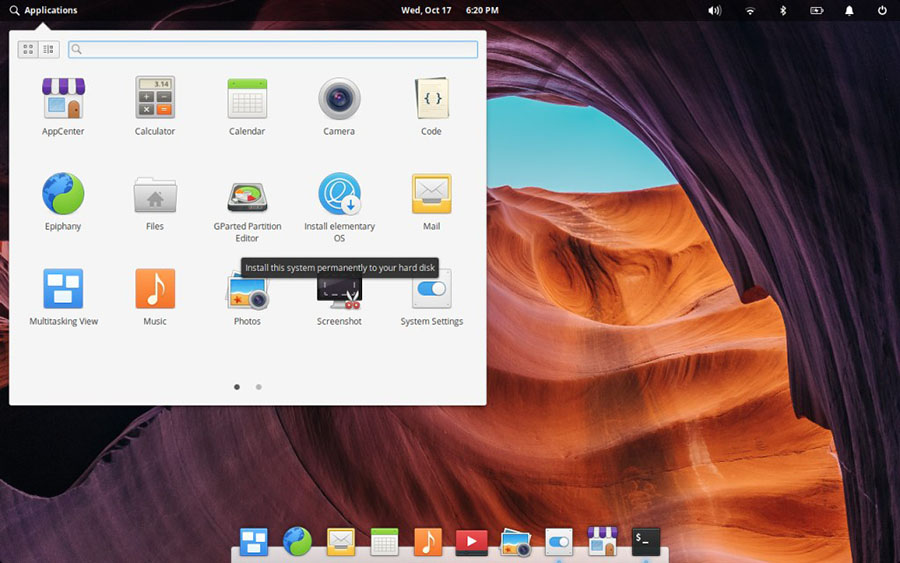
An operating system is software that sits between the user and the computer hardware. If you click the screen icon with the mouse, the operating system will interpret this as a request to load the program you clicked.
For this to happen, the operating system must know how to display what is happening on the screen.
Also, the operating system should know almost everything about the hardware installed in the computer.
That means knowing how much RAM (computer memory) there is, recognizing the system’s hard disk, USB, and CD drives, as well as keyboards, sound controllers, graphics controllers, printers, scanners, and everything connected to the computer.
Software on OS
When you start typing a letter, you have already opened a word-processing application. Experts call this software application software, which is based on the operating system.
So far, we have found that having an operating system is essential for any computer, but what else does the operating system do? The most basic task of the operating system is to manage our files and data.
A basic operating system should be able to do the following with files and folders:
- Create them
- Move them to other directories (also called folders)
- Rename them
- Copy them
- Delete them
- Receive or send files from other devices, such as printers/scanners or the Internet.
Now that you have an understanding of the operating system concept, we can discuss a specific operating system, UNIX, which is the ancestor of Linux.
UNIX

The Unix operating system was developed at Bell Labs in 1969, a subsidiary of AT&T. There are many variants of Unix, making it the oldest commercial operating system, predating Microsoft Windows and Apple Mac.
History of Unix
Linux is a type of Unix that is known for being open-source and free. Many versions of Unix are still being updated and in use worldwide. Here are some of the most popular Unix brands that you may have encountered or heard of.

This version of Unix was developed in 1993 by Sun Microsystems (later acquired by Oracle). Solaris was among the first commercial versions of Unix, preceding the introduction of open-source and Linux software.

HP’s implementation of the System V standard is known as HP-UX, which was released in 1984 and is still used in many enterprise environments.

IBM also released a special version of its corporate Unix in 1986, dedicated to the company’s hardware. AIX is a series of commercial Unix operating systems originally released for IBM workstations and now supported on various hardware platforms.
Why don’t we use Unix today?

In 1981, a small company in Seattle called Microsoft introduced an os. Coincidentally, IBM invited them to provide an os for their new small home/office computer.
The IBM PC was called the IBM PC, and it had no graphics, requiring users to enter Unix commands; however, it was less powerful. The main problem with this operating system, called Microsoft Computer OS (MS-DOS), was that it lacked features such as multi-user and multitasking capabilities, and it did not support networking standards.
In the early 1990s, MS-DOS gradually became very popular. Unix was still by far the most powerful os of the time. However, the problem with Unix was that it was expensive, and there were legal disputes among Unix license providers. Using MS-DOS was more sensible for small and medium-sized enterprises, as it ran most of the software they needed. However, it lacked the advantages of Unix.
Apple
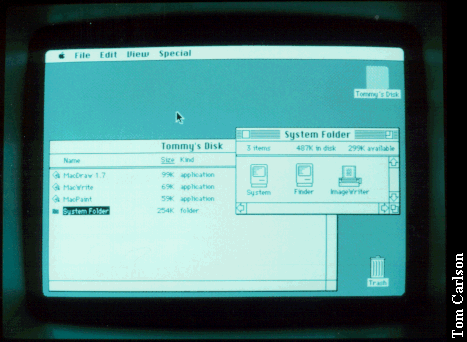
During the 1980s, Apple introduced a new PC that was independent and did not run any PC software because it used its own operating system, called Multi-User.
This time, Apple decided to build a graphical os and then used color, images, icons, and even sound. So, instead of leaving everything to the keyboard and text commands, it was possible to perform similar tasks by clicking and moving the mouse.
This change was revolutionary at the time and transformed the tech landscape, but it still lacked the advantages of multitasking and Unix networking.
At the same time, Unix introduced a graphical operating system that provided a visual interface. This version was named the X Window System.
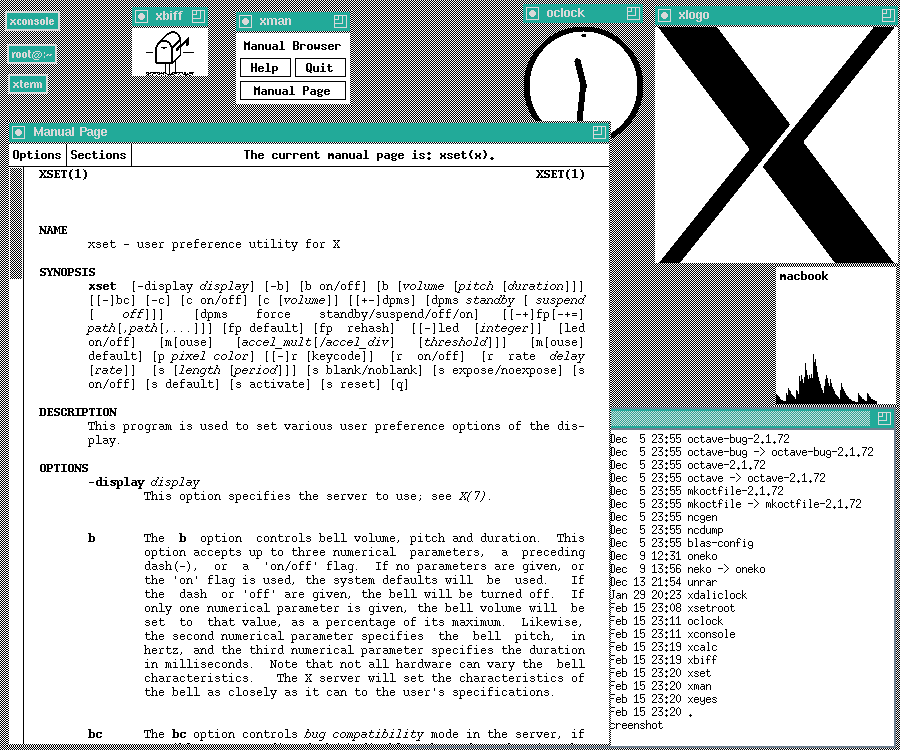
The difference between Linux and Unix
From 1991 to 1995, many computer and engineering students at the university became familiar with the Unix operating system. Many students were impressed by the new features, such as email and web. They were working at home with their 16-bit computers, waiting for all these features to enter their homes one day.
In 1991, Linus was a Finnish student studying computer programming at the University of Helsinki. He became frustrated with his home computer running MS-DOS and decided to start developing a Unix kernel. A kernel is the core of an operating system that communicates directly with hardware. Linus wanted to offer his kernel software for free because he saw it as a hobby, not a business. He also wanted to know what others thought of his work, so he decided to publish the designed kernel for free online.
FAQ
What exactly is Linux?
Linux is an open-source operating system — more precisely its kernel plus a collection of tools and software — that manages hardware resources and provides a platform for applications.
Why do many people choose Linux over other operating systems?
Because Linux is free to use and modify, offers strong security, runs well on a wide range of hardware, and provides great flexibility and customization for various needs.
Where is Linux commonly used today?
Linux is used across many platforms: personal computers, servers, mobile devices, embedded systems, and even supercomputers — powering everything from desktops to enterprise infrastructure.