
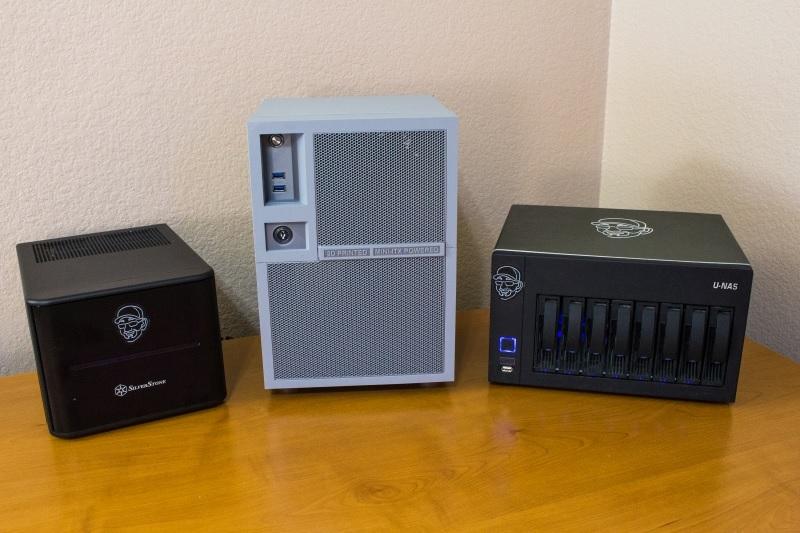
Are NAS and NFS the Right Options for Virtualization and Deployment of Virtual Machines

Network And Storage Experts Believe It Is Better To Use Block-Level Storage For Virtual Servers.
Fortunately, most hypervisors support the Network File System (NFS) protocol, which is also supported by network-attached storage (NAS).
This article examines how to deploy virtual machines on NAS and the advantages and disadvantages of this approach.
Shared storage is a core requirement for virtual servers. It enables advanced server virtualization features, such as high availability and the ability to migrate a running virtual machine between hosts.
In the past, companies had to use a costly communication mechanism based on Fiber Channel SAN (FC SAN) to achieve such capability. Still, over time, dependence on this expensive technology has decreased.
Today, most server virtualization products are supported by storage equipment connected to the network (NAS), which can be a suitable and cost-effective alternative to FC SAN.
Another efficient solution in this field is iSCSI, which, like NAS, uses the TCP/IP protocol over a standard Ethernet network. However, iSCSI operates similarly to Fibre Channel and uses block storage, and it is more expensive than NAS.
Typically, NAS systems support file-sharing protocols such as SMB, NFS, and CIFS, but server virtualization products primarily use NFS, though some support only NFS.
The latest version of the above protocol is called NFSv4, which consists of the following three critical underlying technologies:
- Remote Procedure Calls
- External Data Representation
- Network file system procedures (NFS Procedures)
The third component, Network File System Procedures (NFS Procedures), is a set of software instructions that specify how data is written to and read from storage. The NFS protocol uses the RPC communication mechanism, which allows one server (NFS client) to communicate with another server (NFS server). The External Data Representation (XDR) component is the data encoding standard in the NFS protocol and is used as a standard language by clients and servers.
A server based on the NFS protocol may be a dedicated NAS device, such as QNAP, Synology, Net-App, etc., or a regular operating system server.
NFS is typically used on Unix and Linux systems, but it is also supported on other operating systems, such as Windows. NFS is a stateless protocol, meaning the server does not store any connection state, and each RPC event contains sufficient information to establish a relationship.
In this way, there is no game connection between the client and the server, and recovery from a failed communication channel is achieved by having the client resend its request to the server twice and wait for the server to respond.
NFS in the world of server virtualization
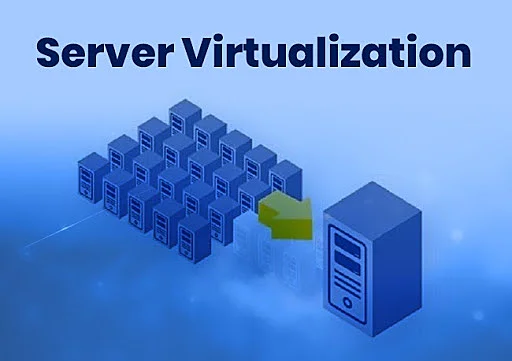
NFS is widely used for shared storage between multiple virtual hosts. All major server virtualization platforms support NAS and NFS storage alongside virtual machines, enabling network professionals to provide clients and servers with a single storage space quickly. Since NFS is widely used, it offers multiple methods for virtual hosts to access NFS storage.
For example, a physical server can be converted into an NFS server, or virtual SAN software or dedicated storage tools can be used for this purpose.
Each of the above options has a function, offers specific features, and differs in cost. The best option is dedicated storage, which delivers the highest performance but comes at a higher price than comparable solutions.
Of course, it is possible to buy a cheap server, add enough hard disks, install a server operating system such as Linux or Windows, and configure it to act as an NFS server. Also, it is possible to use dedicated software such as open-source shared storage software (Openfiler).
Most data storage equipment vendors market their products using an NFS-support approach.
Among these vendors, QNAP, NetGear, and Synology should be mentioned. These companies’ products are preconfigured, and their NFS protocol handles data writes and reads. They can be used when connected to the network.
Fortunately, the variety of these products has made many options available to consumers, allowing you to choose the right one based on your budget and work needs.
Since NFS is a file-level protocol, it is configured differently from block storage devices. When you provision storage using block-level storage technology, a storage I/O adapter on the host communicates with the storage device locally or remotely. Typically, the above adapter is SCSI, Fibre Channel, or iSCSI, and serves as a network adapter that acts as a hardware or software initiator.
You are using the NFS protocol from a hypervisor-based NFS client to communicate with a host-based network adapter to speak with your NFS server. In the method above, there is no need to scan the storage device via the input/output adapters. What do you do with block storage?
When adding an NFS-based storage device to a virtual host, you enter the name of the NFS server and the location of the shared folder.
Next, once the initial storage configuration is complete, you create virtual machines on it, just as you would with block-level storage devices.

What are the advantages and disadvantages of using NAS in virtual environments?
In most cases, NAS storage devices operate in a virtualized server environment, similar to block-level storage devices, but there may be limitations due to the underlying architecture. Among the essential rules should be the following :
- If you are not using local storage on the virtual host and want to boot directly from a shared storage device, you will need a storage device other than a NAS system. Fiber Channel and iSCSI adapters can boot the hypervisor directly from a shared storage device without using local storage.
- NFS uses a software client embedded in the hypervisor instead of a hardware I/O adapter. This imposes significant processing overhead on the CPU because the hypervisor must use a software client to communicate with the NFS server. The above mode will reduce host performance when handling traffic because CPUs are shared among virtual machines.
- In vSphere-based environments, virtual machine storage can be configured on NFS devices. Still, it does not achieve the high performance of the VMFS file system. In this case, there is no issue with not having access to most vSphere features, but you cannot use Raw Device Mappings (RDM) to connect a physical disk directly to a virtual machine.
- This time delay occurs for various reasons. Some vendors do not recommend using NFS-based storage for sensitive applications such as Exchange, as it can cause significant latency. Of course, the above problem is more accurate with cheap NFS equipment.
- NFS does not support host-to-server multipathing. So, only one TCP session is established on the NFS datastore, which reduces performance. This limitation can be mitigated by using multiple smaller data stores instead of larger ones, or by using 10 Gigabit Ethernet (10 GbE), which allows each session to achieve higher throughput. The multipath limit does not affect high availability; however, to maximize availability, you can use multiple NICs in a virtual switch.
Despite the limitations we’ve mentioned, there are still good reasons why NAS storage performs better than block-level storage devices.
Among these reasons, we should note the following:
- Most NFS storage devices use thin provisioning by default, which is vital for optimizing disk space. In this case, the virtual disks do not consume the allocated space.
- The NFS-based device implements a file-locking and queuing mechanism that can provide better performance than iSCSI/FC, where locking and queuing are performed by the host server.
- NFS does not have a disk I/O queue like a block-level storage device, so it performs better. NFS performance varies with network bandwidth and disk array capabilities (RAID architecture).
- NAS implementation costs less than traditional FC storage. Instead of expensive HBA adapters, NAS devices require only conventional network cards and use standard network components, rather than switches and expensive Fibre Channel cables.
- Since NAS reduces much of the complexity of managing shared storage, there is often no need to hire network and storage administrators. Working files on an NFS server is more straightforward than managing LUNs on a SAN.
- The required virtual storage space can scale quickly by adding disk space on the NFS server without requiring any configuration changes. In this case, everything is done automatically.
- Operations such as snapshots, replication, and copying are performed at the file system level rather than at the LUN level, providing greater flexibility.
As you can see, NAS offers vital benefits, and despite some disadvantages, you should not give up on using it alongside virtual machines. More problems arise from low-quality products or storage designed for simple applications, yet some companies intend to use them for professional work.
Given careful architecture and proper management of host-managed virtual machine workloads, NAS can be a good choice as a block-level storage device.
Does the NAS provide acceptable performance?
Most network and IT experts consider NAS an ideal alternative to block-level storage for virtual servers because it offers acceptable performance. In most cases, NAS performance is not on par with an FC SAN, but with an efficient NFS-based architecture, it can easily handle peak workloads.
Some networking experts compare iSCSI to NAS because both are low-cost alternatives to Fibre Channel storage and can leverage existing Ethernet infrastructure.
VMware Inc. has evaluated and compared the performance of virtual machines on NAS, iSCSI, and FC storage devices. This research shows that the NAS and iSCSI hardware and software versions are almost identical.
More specifically, available network bandwidth will limit the maximum throughput that both iSCSI and NFS can achieve unless the CPU becomes a bottleneck.
Both software iSCSI and NFS are more efficient than Fiber Channel and hardware iSCSI for write workloads, provided write block sizes are small (less than 16 KB). They use more CPU cycles for larger blocks, making software iSCSI and NFS less efficient than hardware iSCSI and Fiber Channel.
Achieving the best NAS performance depends on several factors.
The first is having enough resources and powerful CPUs. In this case, the central processor is not bottlenecked when processing NFS.
In this case, virtual machines should ensure the host’s CPU time is not consumed excessively. Unfortunately, there is no way to prioritize or reserve resources, such as the CPU, for NFS protocol processing. Hence, you need to ensure the host’s workload is configured to handle NFS. Using technologies such as VMware’s Distributed Resource Scheduler helps balance processor workloads across hosts.
The second factor is network architecture. The performance of NAS storage is highly dependent on the network’s condition and configuration, as well as on how it is used. In this case, you should isolate NAS traffic on dedicated physical NICs, not shared with virtual machines.
Also, ensure you use a physically isolated storage network for the NFS host, and that servers are dedicated and not shared with other network traffic.
Network cards have speed limits; for example, 1 Gbps network cards provide good throughput for everyday applications.
Still, if network traffic increases and NFS must handle more workloads, you should consider adding 10 NICs. Be a gigabit per second. Of course, you can use clever traffic-management techniques to improve performance. Among these technologies, “Jumbo Frames” should be mentioned.
The third factor in improving NFS performance is the type of NAS storage device you use. If you use an old physical server as an NFS server, you shouldn’t expect it to handle the workloads of virtual machines without problems. More specifically, when shopping for NAS storage, you need to assess your business requirements and estimate I/O workload. The virtual machines must select the correct option.
last word
In the past, NAS was not a viable alternative to virtualization due to limited vendor support. Now, things have changed, and NAS fully supports NFS. Also, NFS has matured and evolved in various areas, including hypervisor integration, file sharing, and storage, to become a suitable platform for virtualization.
FAQ
What is NAS in virtualization?
NAS (Network Attached Storage) provides centralized file storage accessible over a network for virtual machine data.
How does NFS support virtual machines?
NFS (Network File System) allows VMs to access shared storage over IP networks, simplifying deployment and management.
Are NAS and NFS good for VM performance?
They can be suitable for many workloads, but performance depends on network speed, configuration, and storage quality.