

5 Important Features in the New Windows 11 Update You Should Not Miss

If You’ve Received The Major Windows 11 Update, You’ve Got Some New Tools And Features To Check Out.
Windows 11 was first released in October 2021, and Microsoft has since issued several updates. According to Microsoft, Windows 11 receives only one major update per year, and the latest update, version 22H2, has been available for several months. If you haven’t updated your system to Windows 11, you can access it in the Windows Update settings.
Microsoft released the first official update to Windows 11, version 22H2, in September 2022. The new version of Windows 11 introduces features and improvements, including changes to File Explorer and video-editing software such as Clipchamp, which we will discuss in this article.
Clipchamp: a New and completely free video editor In The New Windows 11 Update
Videos have become an integral part of our lives. Microsoft added the Clipchamp editor to the new Windows 11 update to address this growing demand. This program is installed by default on this operating system and allows video editing. Clipchamp may not be as advanced as some third-party editors, but it’s more straightforward and more accessible, and it helps you edit and create professional-looking videos.
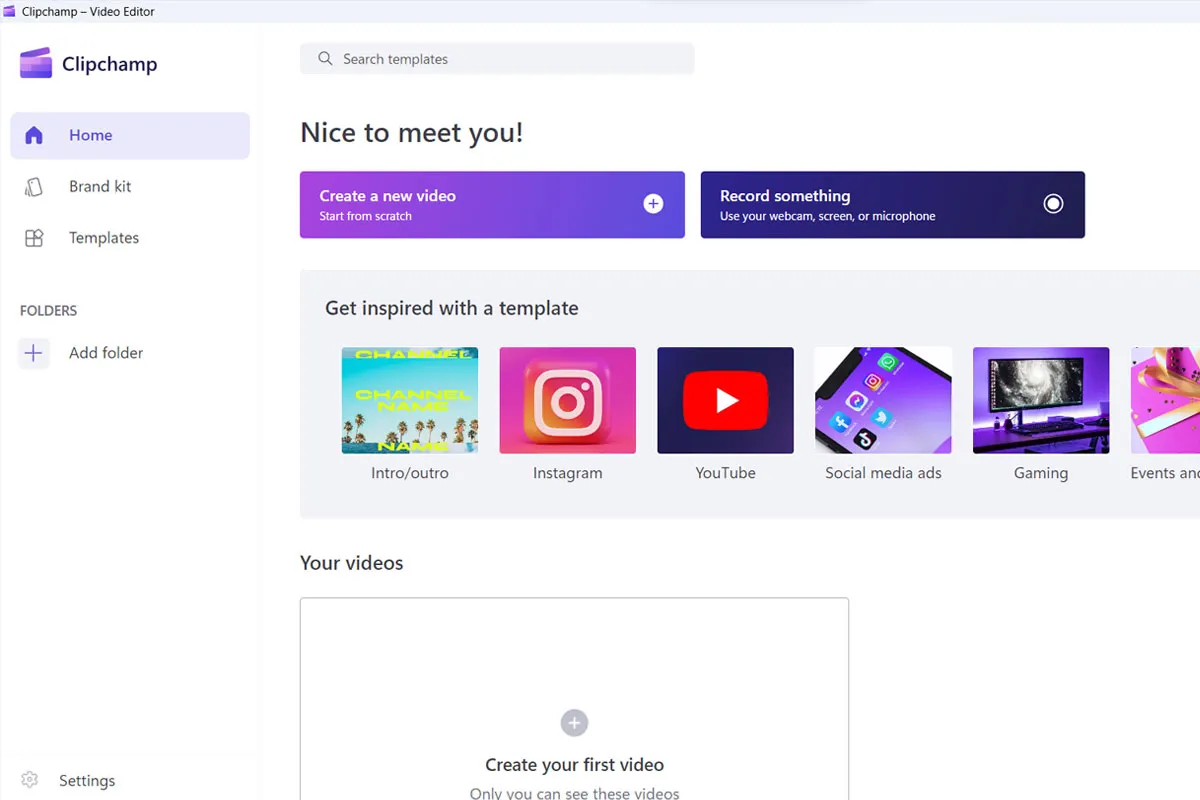
Clipchamp software replaces Windows Movie Maker, allowing you to post videos directly to media such as TikTok or YouTube after editing.
If you use Windows 11 version 22H2, search for its name in the Start menu to see this software. The program includes a range of predefined templates you can use to create professional videos in minutes. You can also use Gmail, email accounts, and your Microsoft account to log into this program.
Added tabs to File Explorer
Windows users have been waiting for tabs to be added to File Explorer for a long time, A feature that has existed in alternative browsers for a long time. Microsoft finally decided to provide it in Windows 11 build 22H2. To open a new tab in File Explorer, click the “+” icon at the top of the menu bar to open a new window.
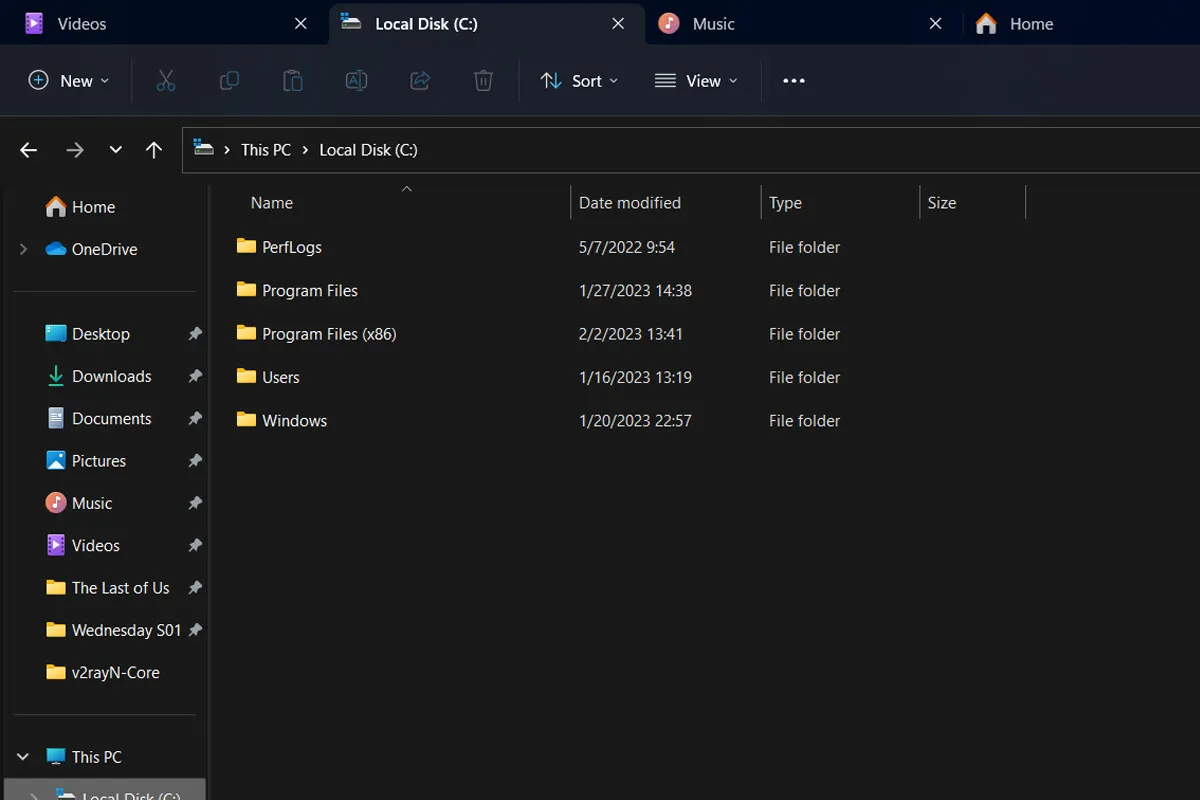
File Explorer in Windows 11 now works precisely like advanced browsers and can open several different tabs simultaneously. Also, in each new account, you will have access to the folders on your computer, and you can switch between them. You still can’t click and drag them into a new Explorer window, though.
Grouping folders in the Start menu
Another exciting feature of the new Windows 11 update is putting different programs in one folder. The ability to group folders, which has always existed in Android, iOS, and Windows 10 operating systems and has now made its way to Windows, allows you to access many programs in the Start menu.
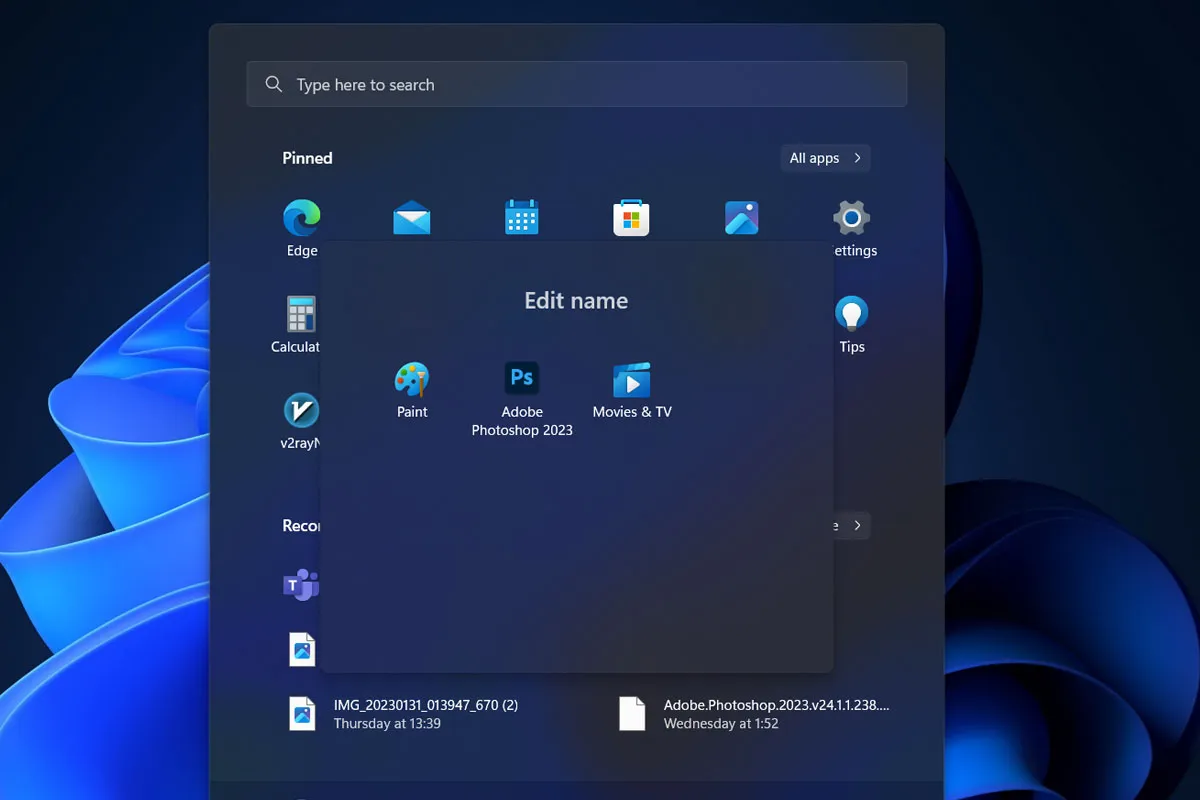
To start, click on one software and drag it to the other to combine them. When the icons of both programs are minimized, release the mouse button, and a folder will be created automatically.
To change a folder name, click the folder name and enter the desired name. Microsoft has not set a limit on the number of folders, so create as many as you need to access all your programs in the Start menu.
New Snap Bar features
Snap Bar is one of the new multitasking features in more recent versions of Windows that allows you to split the screen into different modes for easier access to open windows. This feature was already present in Windows 11, and with the new update of this operating system, it can be accessed more easily.
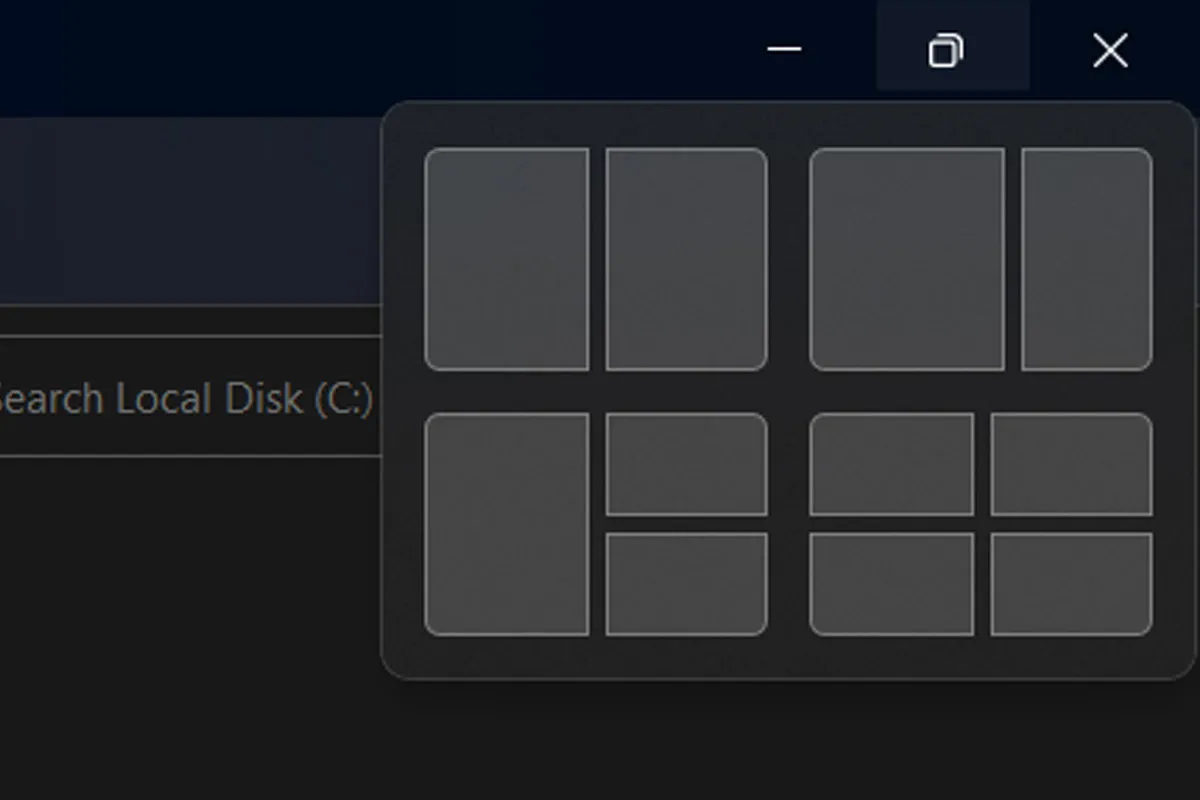
To use the new snap bar feature, hold the mouse pointer over the window’s Maximize icon (don’t click) to display the new layout options. For this, you can also use the shortcut keys “Win + Z” and choose the screen layout by typing the number written on the possibilities. By clicking on any of these options, your window can be moved to your desired location, depending on your choice.
Modified NotePad
NotePad is one of the old and straightforward Windows tools that has changed in the latest Windows 11 2022 update. Notepad now supports a black or dark system theme and could be more flexible. However, Microsoft is expected to consider adding more features for Notepad in new Windows updates.
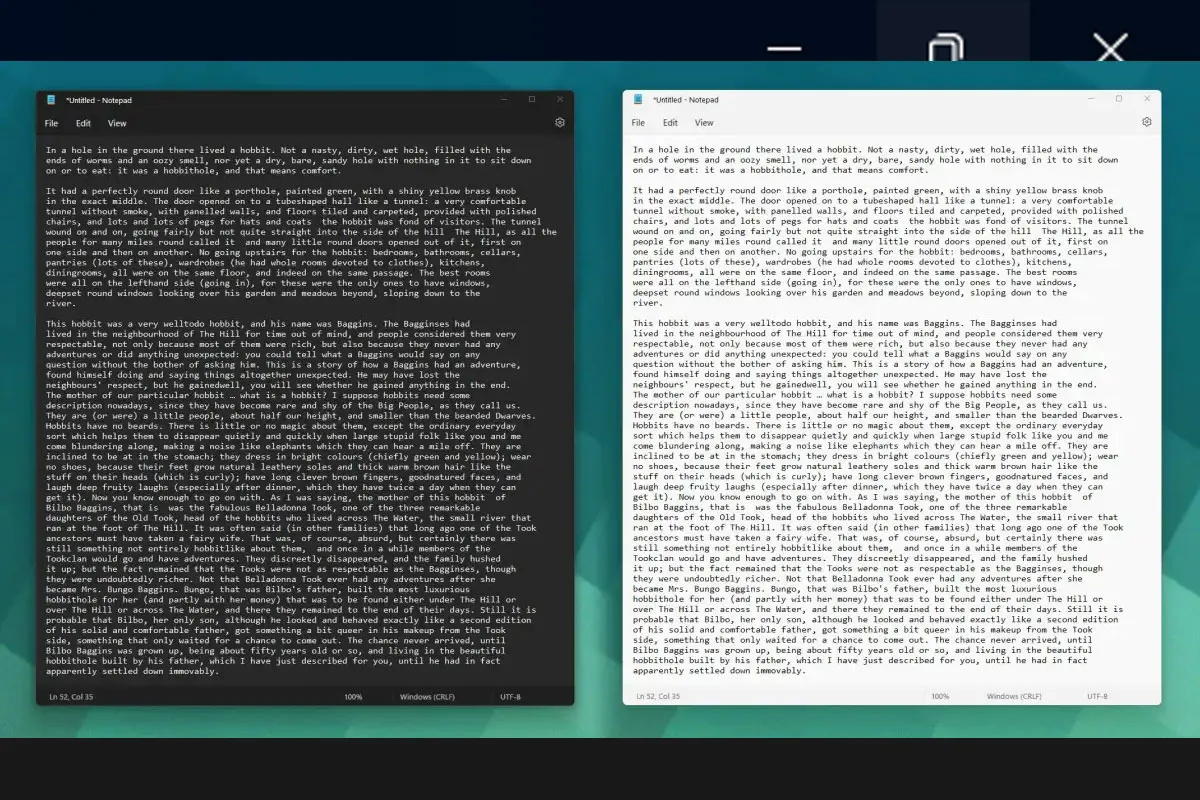
Note that in trial versions of Windows 11, it is possible to add new tabs and windows, such as File Explorer in Notepad, but we will need to wait to see whether this feature makes it to the final version of Windows.
FAQ
What major improvements are in the newest Windows 11 update?
The update includes enhanced AI‑driven tools, expanded voice control, smarter photo and screenshot features, and easier recovery options.
How has voice interaction improved in Windows 11?
Voice Access now offers fluid dictation that removes filler words and enables custom voice shortcuts for faster tasks.
Does the update make system recovery easier?
Yes, a Quick Machine Recovery feature helps fix critical system issues by automatically applying updates from the recovery environment.