
SSH: The Secure Protocol Powering Encrypted Remote Access and Administration

SSH stands for Secure Shell, a secure protocol for establishing a secure connection between a client and a server. SSH encrypts data on the client side (without user intervention) and sends it to the server.
SSH is a protocol that enables you to connect to your server remotely while maintaining Security.
Many cases require remote access to the server. One way to access the server remotely is to use the Telnet protocol. The Telnet protocol is designed for use in private and confidential networks, so all data transmitted over it is sent in plain text (unencrypted).
This data also includes all identity information, including the username and password used. This was a very important security vulnerability for Telnet until programmers and designers put an encryption mechanism on the same protocol to make the information encryptable and unhackable during the transfer.
The completed protocol is SSH. SSH is a secure version of the Telnet protocol.
What is the SSH protocol?
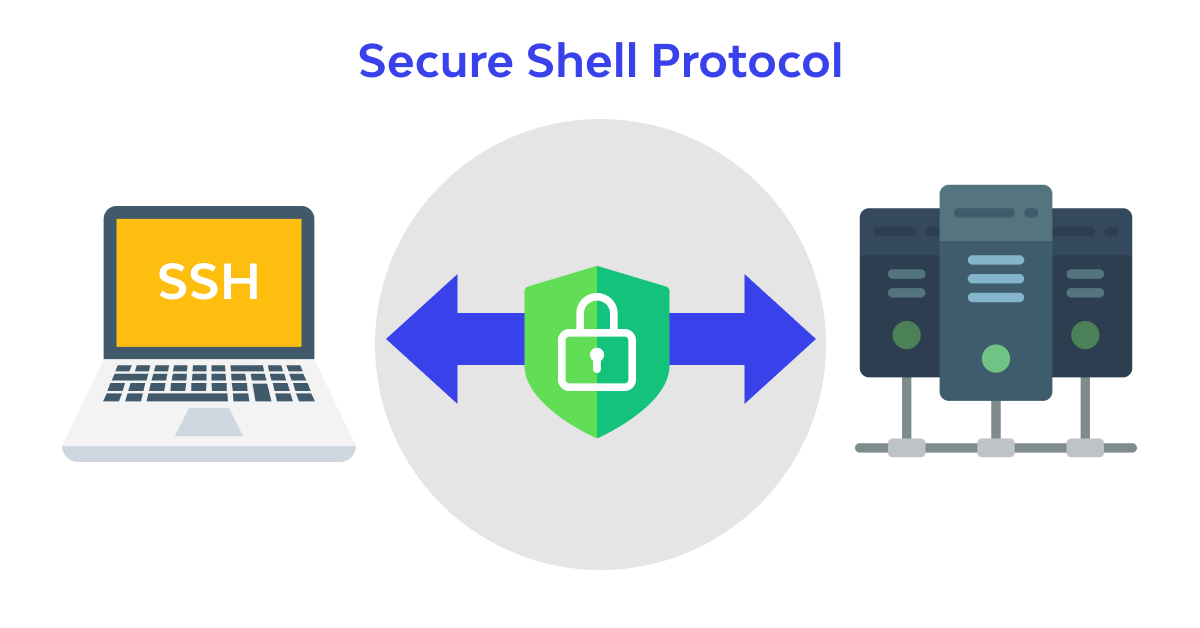
SSH stands for Secure Shell, a secure protocol for communicating between a client and a server. Before sending information, SSH encrypts it on the user side (without user intervention) and sends it to the server.
So, SSH is a protocol that helps you connect to your server remotely while maintaining security.
The SSH protocol is currently available in two versions, SSH-1 and SSH-2, on most operating systems. By default, it is possible to connect to both versions unless the server is configured to support only version 1 or 2. To know the SSH version after connection, you can run the following command:
$ ssh -v
In response to this code, it returns the SSH version:
OpenSSH_5.3p1, OpenSSL 1.0.0-fips 29 Mar 2010
What are the capabilities of the SSH protocol?
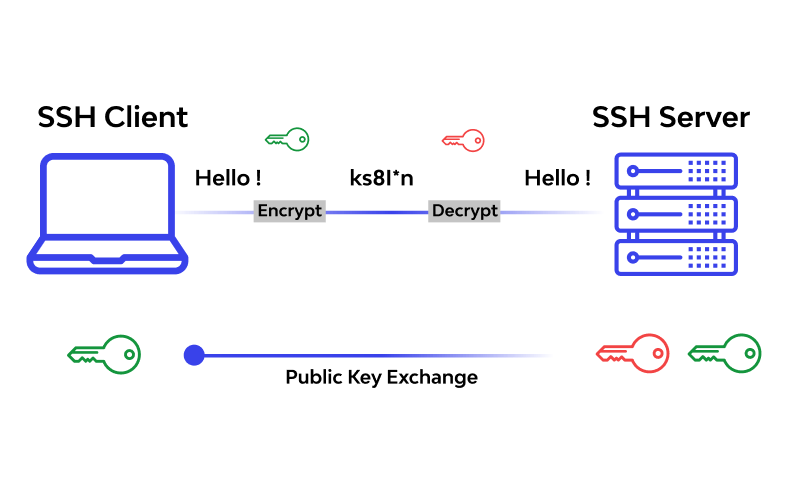
Indeed, a secure connection between the server and the client provides many capabilities. Among the most critical capabilities of this protocol are the following:
- Authenticate users through various methods
- Create a secure tunnel for TCP/IP and insecure protocols (e.g., IMAP) with full firewall compatibility.
- Automatic forwarding of connections
- Possibility of external verification of users with the help of Kerberos and SecureID
- Secure File Transfer
Access to the server via SSH in the PUTTY software
PUTTY is a terminal simulator software, computer console, and File transfer software developed as free software. This program supports several protocols, including SSH, Telnet, and Rlogin.
When running PuTTY, enter the server IP address in the Host Name (or IP Address) field, select port 22, and set the Connection Type to SSH.
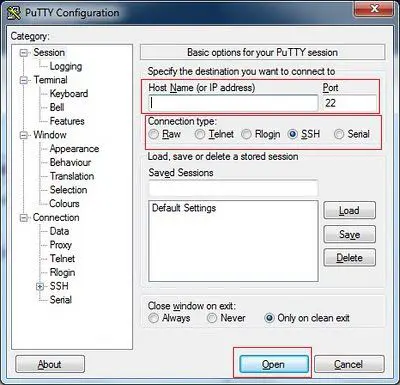
Then, a window resembling a DOS or CMD environment will open. In this window, you must enter your username and password.
Note that the primary username for Linux servers is usually root.
To increase server security, passwords are made up of very complex letters and words, which typically make them difficult for Linux users to type, especially when they cannot see the character being entered.
The solution to this problem is to copy and paste the password into the PUTTY DOS environment. Pasting in Linux requires just one right-click.
FAQ
What is SSH and what is it used for?
SSH (Secure Shell) is a cryptographic network protocol used for secure remote login, command execution, and encrypted file transfers between systems.
Why is SSH more secure than Telnet or FTP?
Unlike older protocols that send data in plain text, SSH encrypts all communication and authentication to prevent interception.
What port does SSH use by default?
SSH typically operates over TCP port 22, though administrators can change it for additional security.