


In the world of IT, virtualization has become one of the most important solutions for optimal use of hardware resources. Many companies, cloud service providers, and even ordinary users use virtualization technologies to run multiple operating systems on a physical server. One of the most powerful and popular virtualization technologies in the Linux operating system is KVM, or Kernel-based Virtual Machine.
KVM is used in many large data centers and cloud services today due to its high performance, strong security, and open-source nature. If you have ever used a KVM virtual server, you have probably used this technology without realizing it.
In this article, you will learn about KVM, how it works, its advantages, disadvantages, applications, and how it differs from other virtualization technologies.

What is KVM?
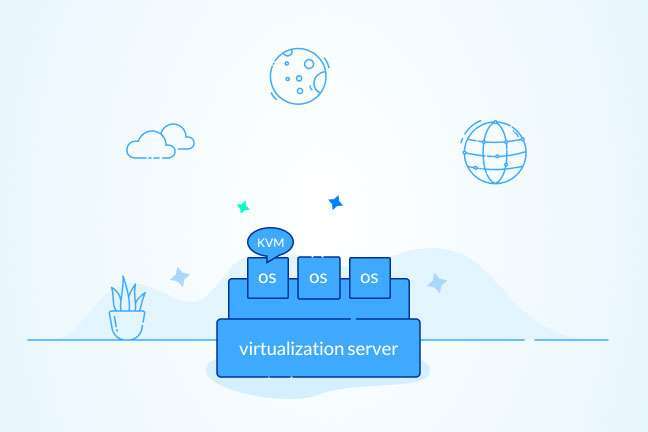
KVM (Kernel-based Virtual Machine) is an open-source virtualization technology built into the Linux kernel that allows a physical server to be divided into several completely independent virtual machines.
Simply put, KVM makes Linux act like a hypervisor and can run multiple different operating systems simultaneously.
Each virtual machine has its own dedicated resources, such as a processor, RAM, storage, network card, and even its own virtual BIOS, and acts like a real physical server.
How does KVM work?
KVM uses the hardware capabilities of new processors. Almost all modern processors support virtualization technologies.
In Intel processors, this technology is known as:
Intel VT-x
and in AMD processors as:
AMD-V
When this feature is enabled in the BIOS or UEFI, KVM can run virtual machines with minimal performance degradation.
QEMU software is also commonly used to emulate hardware. In fact, most of the time, KVM and QEMU work together to create a complete virtual machine.
What is a hypervisor?
Before continuing, it is better to familiarize yourself with the concept of a hypervisor.
A hypervisor is software that allows multiple operating systems to run on a server.
Hypervisors are divided into two categories:
Type 1 (Bare Metal)
This type is installed directly on the hardware.
Examples:
- VMware ESXi
- Microsoft Hyper-V
- Xen
Type 2
Installed on an operating system.
Examples:
- VMware Workstation
- VirtualBox
KVM, although part of the Linux kernel, is functionally a Type 1 Hypervisor, as it directly uses the Linux kernel’s facilities to manage virtual machines.
The most important features of KVM
Open source and free
KVM is completely Open Source and is released under the GNU GPL license. For this reason, developers and companies can use it without paying a license fee.
Very high performance
Because KVM is directly integrated into the Linux kernel, it incurs very little overhead, and the performance of virtual machines is very close to that of a physical server.
High security
Each virtual machine is completely isolated from other machines.
If one machine fails or is compromised, the other machines are not affected.
Support for various operating systems
With KVM, almost any operating system can be run, including:
- Windows Server
- Windows 10 and Windows 11
- Ubuntu
- Debian
- CentOS
- AlmaLinux
- Rocky Linux
- Fedora
- FreeBSD
Snapshot support
The server administrator can take a Snapshot of the virtual machine before making important changes and restore the machine to a previous state in case of a problem.
Live Migration
One important feature of KVM is the ability to move a virtual machine from one server to another without shutting it down.
This feature is very important in cloud infrastructures.
Advantages of using KVM
Using KVM has several advantages that have led many virtual server providers to use it.
Some of the most important advantages are:
- Performance close to real hardware
- Very high stability
- Good security
- Support for dedicated resources
- Ability to install any operating system
- Ability to increase resources without reinstallation
- Open source
- Full compatibility with Linux
- Support for SSD and NVMe disks
- Ability to manage through tools such as Proxmox and oVirt
Disadvantages of KVM
Along with the advantages, KVM also has limitations.
Including:
- Requires a processor with Intel VT-x or AMD-V
- Its management is relatively more complicated for novice users.
- Some advanced features require Linux knowledge.
- For a professional setup, management panels such as Proxmox are usually required.

KVM is used in many professional environments.
Including:
Virtual Private Server (VPS) Provisioning
Most hosting companies use KVM to provide VPS.
Cloud Computing
Many Cloud infrastructures are built on KVM.
Software Testing
Developers can run multiple different operating systems on a single server.
Training Labs
Universities and educational centers use KVM virtual machines to teach Linux, Windows Server, and networking.
Data Centers
A large portion of the world’s data centers use KVM to manage hardware resources.
| Feature | KVM | VMware ESXi |
| Open Source | Yes | No |
| Cost | Free | Mostly Commercial |
| Performance | Very High | Very High |
| Base Operating System | Linux | Proprietary |
| Best Suited For | Hosting, Cloud, VPS | Enterprises and Large Organizations |
| Customization | Highly Customizable | More Limited |
Difference between KVM and OpenVZ
One common question is the difference between KVM and OpenVZ.
In OpenVZ, all machines use a common Linux kernel, so only Linux-based operating systems can be run.
But in KVM, each virtual machine has its own independent kernel, and almost any operating system can be installed.
| Feature | KVM | OpenVZ |
| Independent Kernel | Yes | No |
| Windows Support | Yes | No |
| Dedicated Resources | Yes | Limited |
| Isolation | Very High | Lower |
| Performance | Very High | High |
Is KVM suitable for a virtual server?
If you are looking for a virtual server with stable performance, dedicated resources, and the ability to install a desired operating system, KVM is one of the best options.
In KVM-based servers, resources such as CPU, RAM, and storage are usually allocated to virtual machines either exclusively or with a certain guarantee. It is also possible to install multiple versions of Windows and Linux distributions, making KVM a suitable option for developers, server administrators, and businesses.
Summary
KVM is one of the most powerful open source virtualization technologies used in many virtual servers, cloud infrastructures, and data centers today. This technology, by leveraging the processor’s hardware capabilities, allows virtual machines to run with performance close to that of a physical server.
If you are looking for highly secure virtualization, independent resources, good stability, and support for various operating systems, KVM will be one of the best choices, and for this reason, many VPS and cloud service providers use this technology today.
What is KVM?
KVM is an open source virtualization technology in the Linux kernel that allows multiple independent virtual machines to run on a single physical server.
Does KVM support Windows?
Yes, KVM allows you to install and run various versions of Windows Server, Windows 10, and Windows 11 alongside various Linux distributions.
What is the difference between KVM and OpenVZ?
In KVM, each virtual machine has its own independent kernel and can run different operating systems, but OpenVZ uses a common Linux kernel and only supports Linux-based operating systems.