


One of the most common error codes is 401 (Unauthorized). This error occurs when the request sent to the desired website or web application cannot be authenticated.
Fortunately, this error can be fixed quickly in many cases. In this article, we first examine this error in detail and then discuss its causes and potential fixes. Stay with us.
What is the 401 Unauthorized error?
The 401 error indicates that the server rejected the request because insufficient credentials are available to authenticate the target resource. In fact, when you entered the website URL, your browser sent an unapproved request.
This error may be shown on users’ devices for various reasons, the most important of which are the following:
• Enter the wrong address
• The username or password was wrong
• Browser cache and cookies are out of date
For example, a 401 error may appear when accessing a restricted resource, such as a password-protected web page. This error occurs if you have not logged in first and the authentication process has not completed successfully. Of course, we will discuss these reasons in detail later.
Although client-side issues are the most common cause of this error, the web server can also return a 401. It is possible that the server deliberately prevented the client from accessing the requested resource, or that the server-side authentication process encountered an issue.

When a 401 error occurs, you may see one of the following texts:
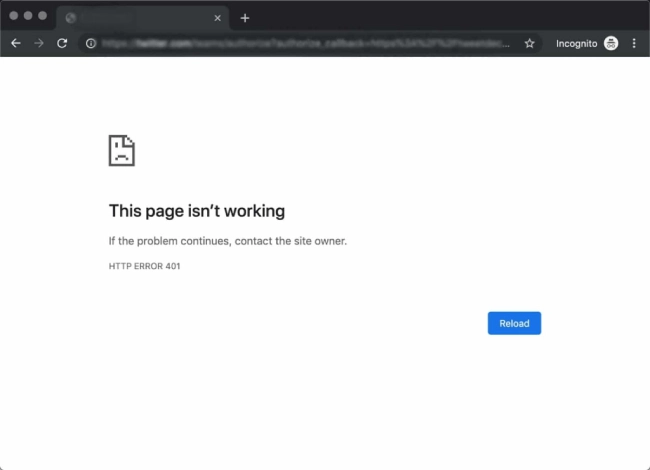
• HTTP Error 401
• 401 Authorization Required
• 401 Unauthorized Error
• Access Denied
In addition to these texts, there are different types of 401 errors, which you can see below:
• The login attempt was unsuccessful.
• Login attempt failed due to server configuration.
• The login attempt has failed due to an ACL (Access Control List).
• Too many requests have been created by users, or the user has reached the maximum request limit.
• This error occurs when a specific user sends multiple requests to a web server and reaches the concurrent request rate limit of the dynamically limited IP.
• The user’s IP address is in the server’s reject list.
• The name of the company from which the user received internet services is included in the reject server list.
Causes of 401 error
Before addressing the reasons for the 401 error, let us share a general rule: almost all errors starting with 4 are caused by a problem on the user’s side. As mentioned above, these errors can sometimes be caused by the server side.

Outdated cache memory and cookies in the browser
One of the main reasons for the 401 Unauthorized error is an outdated cache or cookies stored in your browser.
For those unfamiliar with cache memory, browsers speed up Internet access by storing static elements from websites and reloading them when users revisit them.
Errors related to plugins
Most internet businesses have installed plugins on their servers to protect the security of their users’ data.
Due to your behavior, these plugins sometimes detect malicious intent and return a 401 error. To resolve this issue, contact website support to have them re-enable your device’s access to the website.
Entering an incorrect address

Incorrectly entering the website address is a common cause of the 401 error. In some cases, users enter a website address by mistake, and the site displays a 401 error page with instructions on how to respond.
How to fix error 401
To fix the 401 error, you have four leading solutions that you can use to fix the error:
1. Check the address entered in the browser
The main reason the 401 error is displayed to users is an incorrect website address entered in the browser. Once you see this error, check the address entered in the browser.
2. Clear the cache and cookies stored in the browser
The above section thoroughly explained why the browser cache was implemented. To resolve a 401 cache-related error, clear your browser cache and reload the page.
On the other hand, cookies stored in the browser are also a factor that may cause the 401 error. To solve this problem, you must go through the same process as clearing the browser cache.
3. Log out and log back in
Because one of the main reasons for seeing a 401 error is an inability to access a password-protected or restricted-access web page, it is better to log out of your account and log in again to resolve it.
4. Clear the cache of the system firewall
After following the steps above, if the 401 error persists, clear your firewall’s cache. During this process, a series of information may be stored in your browser’s firewall, preventing access to the website.
Conclusion
In this article from Iranhost (inquiry about WordPress hosting prices), we have fully addressed the error and explained its causes. We also provide four essential methods for resolving this error.
FAQ
What does Error 401 mean?
Error 401 means the request lacks valid authentication credentials and access is not authorized.
Why do I see a 401 error on a website?
It usually appears when login credentials are missing, incorrect, or expired.
How can Error 401 be fixed?
Logging in again, clearing browser cache, or checking access permissions often resolves the issue.