


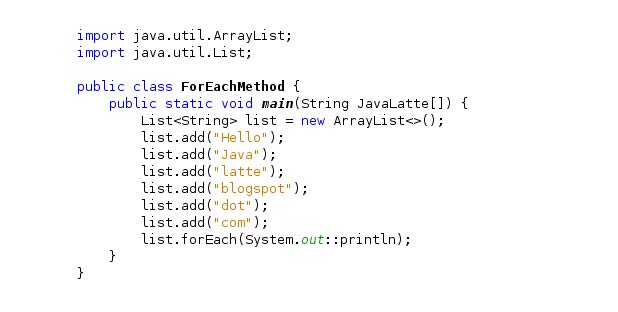
In Java, there is another form of loop (in addition to the standard for loop) for working with arrays and sets. If you are working with arrays and sets, you can duplicate their items using another for loop structure (advanced for loop form). This loop type is called a for-each loop because it iterates over each element of the array/set.
Here is an example of repeating elements of an array using the standard for loop in Java:
- class ForLoop {
- public static void main (String [] args) {
- char [] vowels = {‚a‘, ‚e‘, ’i‘, ‚o‘, ‚u‘};
- for (int i = 0; i <vowels.length; ++ i) {
- System.out.println (vowels [i]);
- }
- }
- }
You can also write the above code using the for-each loop:
- class AssignmentOperator {
- public static void main (String [] args) {
- char [] vowels = {‚a‘, ‚e‘, ’i‘, ‚o‘, ‚u‘};
- // foreach loop
- for (char item: vowels) {
- System.out.println (item);
- }
- }
- }
The output of both codes is similar and equal to:
- a
- e
- i
- o
- u
The advanced for loop makes the code easier to write and more readable. Hence, it is usually recommended more than the standard form.
For each ring structure
First, let’s look at the for-each loop structure:
for (data_type item: collection) {

…

}
In the above structure,
- collection is a collection or array in which you want to write a circle.
- An item is a single element of the collection.

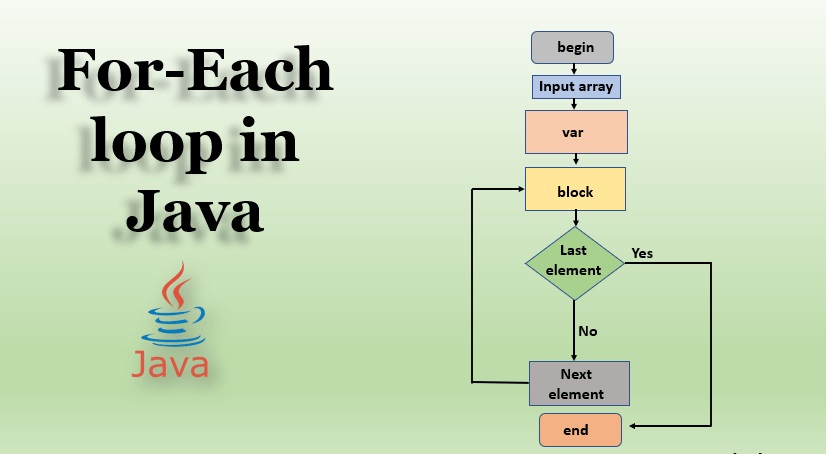
How does the for-each loop work?
Here’s how the for-each loop works.
- Repeat through any component of the given array or collection,
- Stores each item in an item.
- And executes the body of the ring.
Example: for-each loop
The following program calculates the sum of all the elements of an array of integers.
- class EnhancedForLoop {
- public static void main (String [] args) {
- int [] numbers = {3, 4, 5, -5, 0, 12};
- int sum = 0;
- for (int number: numbers) {
- sum + = number;
- }
- System.out.println (“Sum =” + sum);
- }
- }
Output
Sum = 19
In the above program, the execution of the for-each loop is as follows:
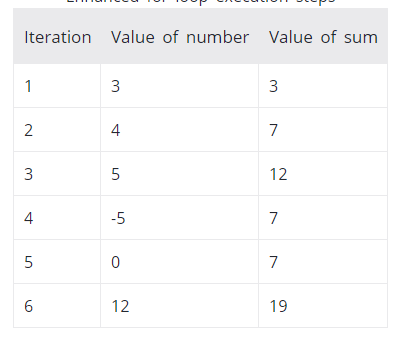

You see a repeat of the for-each loop
- All elements of numbers are repeated.
- Each element is stored in the number variable.
- The loop body is executed; i.e., the number is added to the sum.

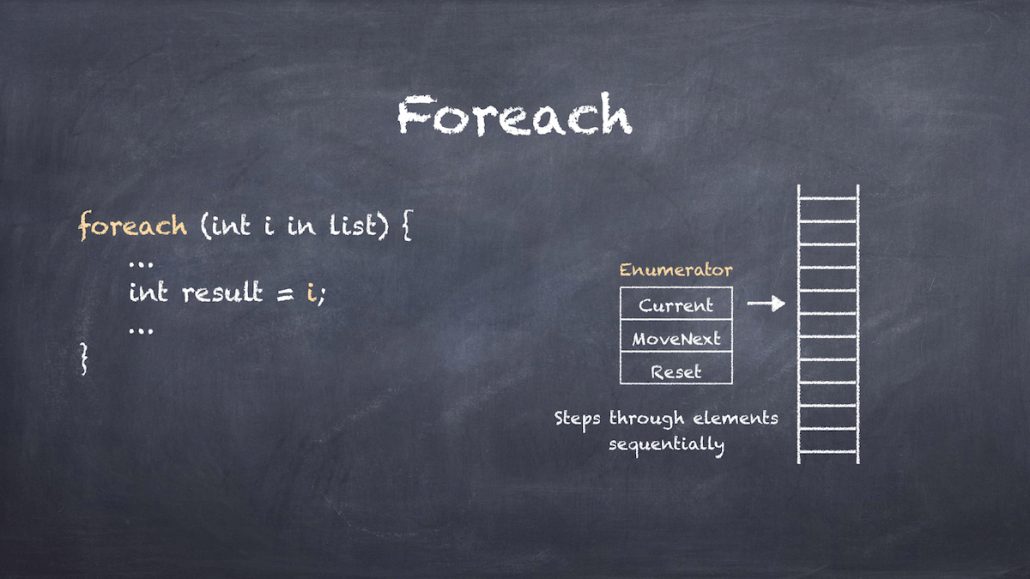
forEach() vs. Traditional for Loop
Both forEach() and the traditional for loop can be used to iterate over collections and arrays. However, the forEach() method lacks the flexibility that the for loop provides.
With a traditional for loop, you have complete control over loop variables, conditions, and increments, whereas forEach() Abstracts these details:
List<String> names = List.of("Larry", "Steve", "James", "Conan", "Ellen");
for (int i = 0; i < names.size(); i++) {
    LOG.info(names.get(i));
}
Additionally, you can modify loop conditions:
for (int i = 0; i < names.size() - 1; i++) {
    LOG.info(names.get(i));
}
In the example above, the last element is skipped by adjusting the loop condition (names.size() - 1). This level of customization is not possible with forEach().
While forEach() allows operations on individual elements, it does not permit modifications to the collection. In contrast, the for loop provides more flexibility, enabling both element-specific operations and direct changes in the collection.
forEach() vs. Enhanced for Loop
At a basic level, both loops serve the same purpose: iterating over elements in a collection. However, their underlying mechanics differ—while the enhanced for loop uses an external iterator, the forEach() The method relies on an internal iterator.
Internal Iterator – forEach()
An internal iterator handles iteration behind the scenes, allowing the programmer to focus solely on defining operations for each element in the collection. Instead of explicitly managing the iteration process, the Iterator ensures that elements are processed sequentially.
Here’s an example:
List<String> names = List.of("Larry", "Steve", "James", "Conan", "Ellen");
names.forEach(name -> LOG.info(name));
In the forEach() In the method above, a lambda expression is passed as an argument. This means that instead of manually controlling iteration, we specify what should be done to each element—the method handles the rest.
While forEach() simplifies code readability and reduces verbosity, the enhanced for A loop may be preferable when greater control over iteration is required.
FAQ
What is the Java for-each loop used for?
The for-each loop is used to iterate over every element in an array or a collection without manually managing an index or loop counters.
What is the syntax of the for-each loop in Java?
for (Type element : arrayOrCollection) { /* use element */ } — where element holds each item in turn, and the loop runs until all elements are processed.
Are there limitations when using for-each instead of a traditional for loop?
Yes — you cannot easily modify elements by index, cannot get the index of current element, cannot iterate in reverse, and you should not use it when you must change the collection’s structure.